
Most orders are delivered automatically within minutes after successful payment. Product details and instructions are sent to the email used at checkout.
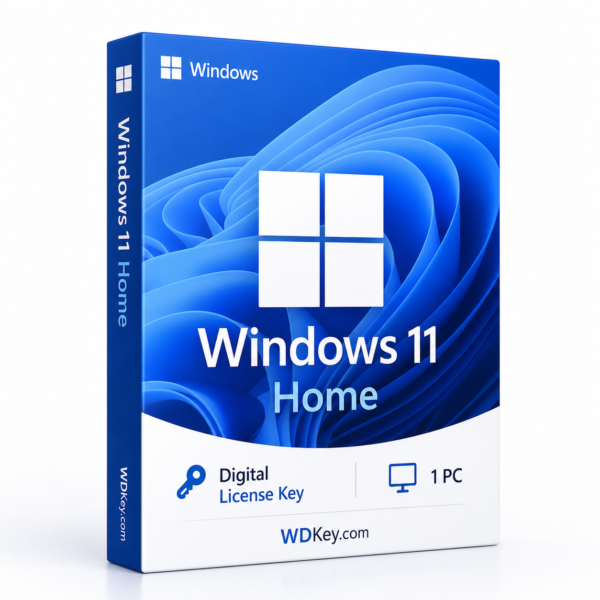
Windows
Windows 11 Home Activation Key – 1 PC
$33.99
Choose your license type:
- OEM – 1 PC: Choose OEM if the license will remain on the original PC.
- Retail – 1 PC: Choose Retail if you may need to transfer the license to another compatible PC later, subject to the applicable license terms.
- Windows 11 Home activation key for 1 compatible PC
- 25-character digital product key
- Fast delivery by email after successful payment
- Designed for Windows 11 Home 64-bit installations
- Online activation and setup instructions included
- WDKey activation support available
Or buy now with one-click checkout →
Instant downloadDelivered in seconds
Secure checkoutEncrypted payment
30-day refundPolicy protection
- SKU
- Categories
- Windows, Windows 11, Windows home
Windows 11 Home Activation Key for 1 PC
Activate Windows 11 Home on one compatible computer with a digital product key
delivered directly to your email address. Windows 11 Home is designed for
personal users, students, families, and home computers that need a modern,
simple, and secure operating system for everyday use.
After successful payment, you’ll receive your activation information together
with clear installation and activation instructions. This is a digital product,
so no physical box, disc, or USB drive will be shipped.
What Is Included?
- Windows 11 Home activation key for 1 compatible PC
- 25-character digital product key
- Digital delivery to your checkout email address
- Step-by-step installation and activation instructions
- Support for Windows 11 Home 64-bit installations
- WDKey activation assistance
Windows 11 Home for Everyday Computing
Windows 11 Home offers a modern desktop experience designed for personal and
home use. Its clean interface and built-in productivity tools make it suitable
for browsing, communication, entertainment, study, gaming, and everyday
computer tasks.
- Modern Windows 11 interface and redesigned Start menu
- Snap layouts for improved window organization
- Support for popular personal and productivity applications
- Built-in security and privacy features
- Gaming and entertainment features
- Personalization options for your desktop and workspace
Digital Delivery
This is a digitally delivered product. Once your payment has been successfully
confirmed, your product information and activation instructions will be sent to
the email address used during checkout.
Please enter a valid email address and check both your inbox and spam folder
after completing your order. Keep your order confirmation and activation
information in a safe place for future reference.
How to Activate Windows 11 Home
- Install or open Windows 11 Home on your compatible PC.
- Open Settings.
- Go to System > Activation.
- Select Change product key.
- Enter your 25-character Windows product key.
- Connect the computer to the internet and complete activation.
The Windows edition installed on your PC must match the purchased product.
A Windows 11 Home key is intended for Windows 11 Home and cannot activate
Windows 11 Pro.
Windows 11 Minimum System Requirements
- Processor: 1 GHz or faster with 2 or more cores on a
compatible 64-bit processor or system-on-a-chip - Memory: 4 GB RAM or more
- Storage: 64 GB or larger storage device
- System firmware: UEFI and Secure Boot capable
- Security: Trusted Platform Module 2.0
- Graphics: DirectX 12 compatible graphics with a WDDM 2.0
driver - Display: 720p display larger than 9 inches with 8 bits per
color channel - Internet: Internet access may be required for setup,
activation, updates, and Microsoft account features
Before You Purchase
- Confirm that your computer meets the Windows 11 hardware requirements.
- Check that TPM 2.0 and Secure Boot are available and enabled.
- Confirm that Windows 11 Home is installed or will be installed.
- This activation key is intended for one compatible PC.
- This product does not include a physical box, disc, or USB drive.
- Major hardware changes may affect activation.
- Do not purchase this product if you require Windows 11 Pro.
Who Is Windows 11 Home Suitable For?
Windows 11 Home is a practical choice for users who need a modern operating
system for personal and everyday computing. It is suitable for home computers,
students, families, casual gaming, entertainment, communication, and general
productivity.
Users who require advanced business features such as domain joining, BitLocker
management, or professional remote-access tools should consider Windows 11 Pro
instead.
Need Activation Support?
If you encounter an activation issue, contact WDKey support and include your
order number together with a screenshot of the activation message. Our support
team will help you confirm the installed Windows edition and guide you through
the activation process.
Frequently Asked Questions
How many computers can I activate?
This product is intended for one compatible PC running Windows 11 Home.
Is this a physical product?
No. This is a digital product. Your activation information and setup
instructions are delivered by email after successful payment.
Can this key activate Windows 11 Pro?
No. The installed edition must match the purchased product. This key is intended
for Windows 11 Home.
Does my computer need TPM 2.0?
Yes. TPM 2.0 is included in the official minimum hardware requirements for
Windows 11.
Does Windows 11 Home require internet access?
Internet access may be required during setup, activation, updates, and for
certain Microsoft account features.
What should I do if activation fails?
Contact WDKey support with your order number and a screenshot of the activation
error. Our team will help you verify the installed edition and review the
activation steps.
Windows 11 Activation Resources
For additional information, read the
official Microsoft Windows activation guide.
You can also visit our
WDKey software guides
or contact WDKey support for assistance.
Related products
-
Windows 10 Pro Activation Key – 5 PCs
$99.00 Add to cart -
Windows 10 Home Activation Key – 1 PC
Price range: $27.99 through $33.99 Select options This product has multiple variants. The options may be chosen on the product page -
Adobe Photoshop 2026 Lifetime License for Windows
$39.99 Add to cart
COMMON QUESTIONS
Everything you need to know before you buy.
Our support team can help with orders, compatibility, downloads, installation, and activation.
Contact support →No. WDKey sells digital software products. No physical package is shipped.
The secure payment options available for your country are displayed during checkout.
Each product is supplied for the edition, region, and device count stated on its product page. Confirm compatibility before ordering.
Refund eligibility depends on the order circumstances and the current refund policy. Contact support promptly with your order number.
Check that the installed product and edition match your order. If the issue remains, contact support with your order number and a screenshot of the error.