

Most orders are delivered automatically within minutes after successful payment. Product details and instructions are sent to the email used at checkout.
Server 2022
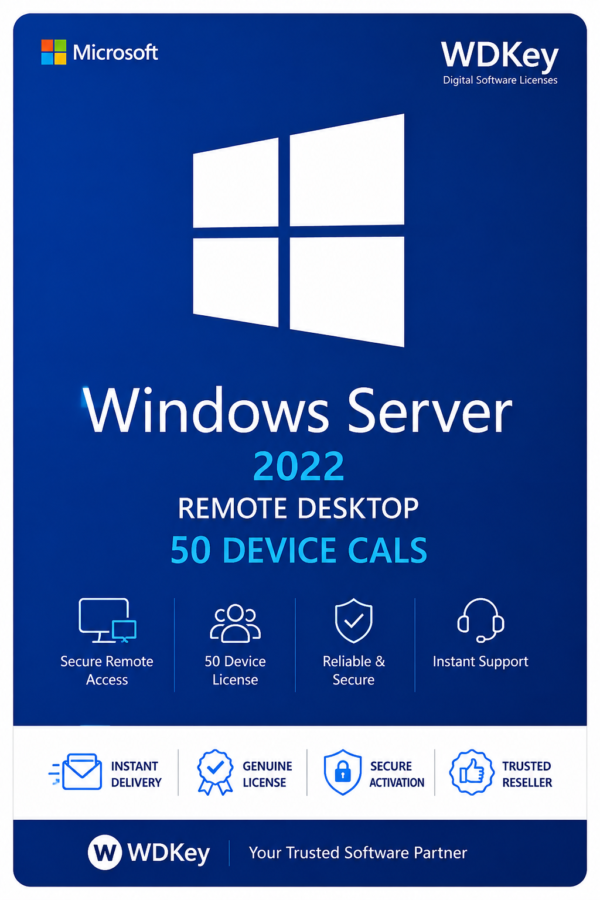
Microsoft Windows Server 2022 RDS CALs – 50 Device License
$79.99
Microsoft Windows Server 2022 RDS CALs – 50 Device License provides Remote Desktop Services access licensing for up to 50 devices connected to a compatible Windows Server 2022 environment.
- Remote Desktop Services license package for 50 devices
- Device-based licensing model
- Suitable for shared computers and business workstations
- Designed for compatible Windows Server 2022 environments
- Digital delivery after order processing
- Installation and activation guidance included
Or buy now with one-click checkout →
Instant downloadDelivered in seconds
Secure checkoutEncrypted payment
30-day refundPolicy protection
- SKU
- WD-WS2022-RDS-50D
- Categories
- Server 2022, Windows Server
Microsoft Windows Server 2022 RDS CALs – 50 Device License
Windows Server 2022 RDS CALs 50 Device License is designed for organizations that need multiple computers or devices to access Remote Desktop Services hosted on a compatible Microsoft Windows Server 2022 environment.
This package provides Remote Desktop Services access licensing for up to 50 devices. It is suitable for offices, schools, customer service departments, warehouses, shared workstations, and other professional environments where several users may access remote applications or desktops from the same licensed devices.
What Is a Windows Server 2022 RDS Device CAL?
A Remote Desktop Services Device CAL licenses one specific device to access a Windows Server Remote Desktop Services environment.
Different authorized users can use the same licensed device to connect to remote desktops, published applications, and other available server resources.
License Package for 50 Devices
This product provides licensing coverage for up to 50 devices. Each licensed device can be used by different authorized users to connect to the configured Remote Desktop Services environment.
The device-based licensing model is a practical choice for organizations where multiple employees share the same computers during different shifts or working hours.
Key Features
- Windows Server 2022 Remote Desktop Services Device CALs
- License coverage for up to 50 devices
- Device-based Remote Desktop Services access
- Suitable for shared computers and workstations
- Supports access to remote desktops and applications
- Designed for compatible Windows Server 2022 environments
- Digital delivery after order processing
- Installation and activation guidance included
Ideal for Shared Device Environments
Windows Server 2022 RDS Device CALs are suitable for companies and organizations where several employees use the same devices.
Common use cases include:
- Shared office computers
- Customer service workstations
- School and training room computers
- Warehouse terminals
- Reception and front-desk devices
- Manufacturing workstations
- Shift-based business environments
Secure Remote Desktop Access
Remote Desktop Services allows authorized devices to connect to business applications, virtual desktops, and server resources from supported locations.
Administrators can manage remote sessions, access permissions, available applications, and security policies from a centralized server environment.
Centralized Application Access
Remote Desktop Services can help organizations centralize applications and business resources while providing controlled access to licensed devices.
This approach can simplify software management, improve consistency across workstations, and reduce the need to install business applications separately on every device.
Device CAL or User CAL?
A Device CAL licenses a specific device, regardless of how many authorized users operate that device.
This model is usually suitable when several employees share a smaller number of computers. A User CAL may be more appropriate when one employee needs access from multiple devices.
Please confirm which licensing model matches your organization before purchasing.
Licensing Requirements
Windows Server 2022 RDS CALs do not include the Windows Server operating system license.
A properly licensed and activated Windows Server environment with the Remote Desktop Services role installed and configured is required.
Standard Windows Server Client Access Licenses may also be required in addition to the RDS CALs. Please verify your complete Microsoft licensing requirements before completing your order.
Technical Requirements
- Compatible Windows Server 2022 environment
- Remote Desktop Services role installed and configured
- Remote Desktop Licensing role configured
- Administrator access to the server
- Supported client devices
- Stable network connection
- Valid Windows Server licensing for the environment
What You Will Receive
- Windows Server 2022 RDS licensing details for 50 devices
- Digital delivery after order processing
- Installation and activation instructions
- Customer support for order-related questions
Digital Product Information
This is a digital product. No physical box, DVD, USB drive, or printed material will be shipped.
The licensing information and available instructions will be delivered electronically after the order has been processed.
Why Choose WDKey?
- Fast digital order processing
- Secure online checkout
- Clear installation guidance
- Responsive customer support
- Simple and convenient ordering process
Purchase Microsoft Windows Server 2022 RDS CALs – 50 Device License from WDKey and provide your organization with flexible device-based access to its Remote Desktop Services environment.
Related Windows Server Resources
Explore more Windows Server licenses available from WDKey.
You can also visit our software downloads page or read our product activation guide.
For additional Remote Desktop Services information, visit the
Microsoft Remote Desktop Services documentation
.
Related products
COMMON QUESTIONS
Everything you need to know before you buy.
Our support team can help with orders, compatibility, downloads, installation, and activation.
Contact support →No. WDKey sells digital software products. No physical package is shipped.
The secure payment options available for your country are displayed during checkout.
Each product is supplied for the edition, region, and device count stated on its product page. Confirm compatibility before ordering.
Refund eligibility depends on the order circumstances and the current refund policy. Contact support promptly with your order number.
Check that the installed product and edition match your order. If the issue remains, contact support with your order number and a screenshot of the error.